
Exporting to Calendars, Subcategory Goals, and More in Timelines 4.2
I hope everyone is having a great start to the holiday season, and I'm excited to share that Timelines 4.2 is here! This update focuses on greater customizability, better support for iOS 26 across the app, and the introduction of several major new features.
Exporting to Calendars
This has been a highly requested feature for years, and I'm thrilled that it's finally here. You can choose which of your categories (timelines) you want to export, and Timelines will create a dedicated calendar for each one, export all recent events, and automatically keep everything in sync as new events are added or existing ones change.
Once enabled, you can see all of your tracked time in the calendar app of your choice, displayed as vertical, color-coded blocks. And if you use your calendar to plan your days, you can now easily compare the plans with where your time actually went.
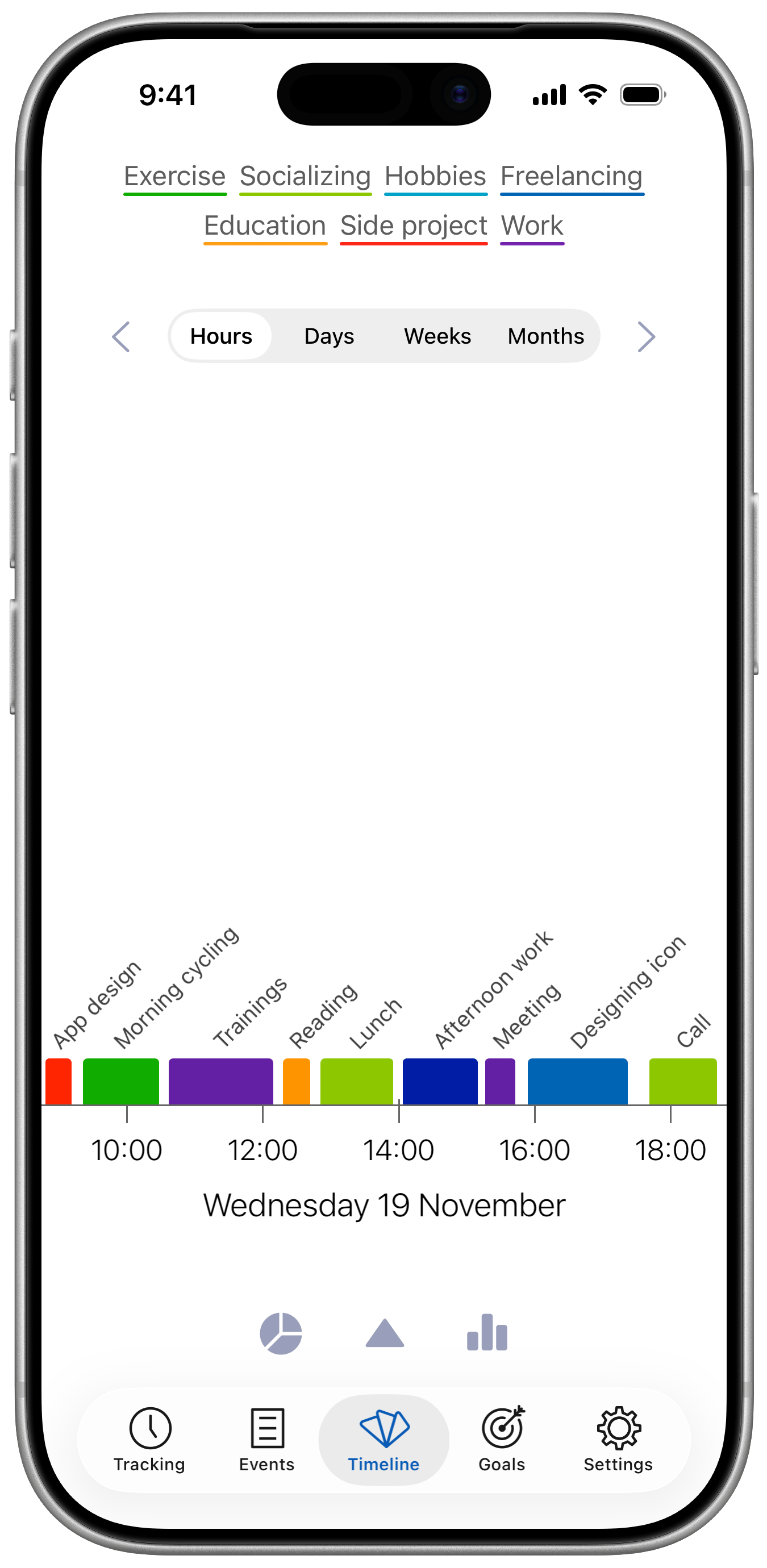

Another benefit of this is that in the Apple Calendar app, you can mark any of the exported calendars as public, and let others subscribe to it. This can also be used for further automations.
Goals for Subcategories
Timelines 4 brought goals for multiple categories at once, and this update brings the possibility to define goals for individual subcategories (event names) within your timeline.
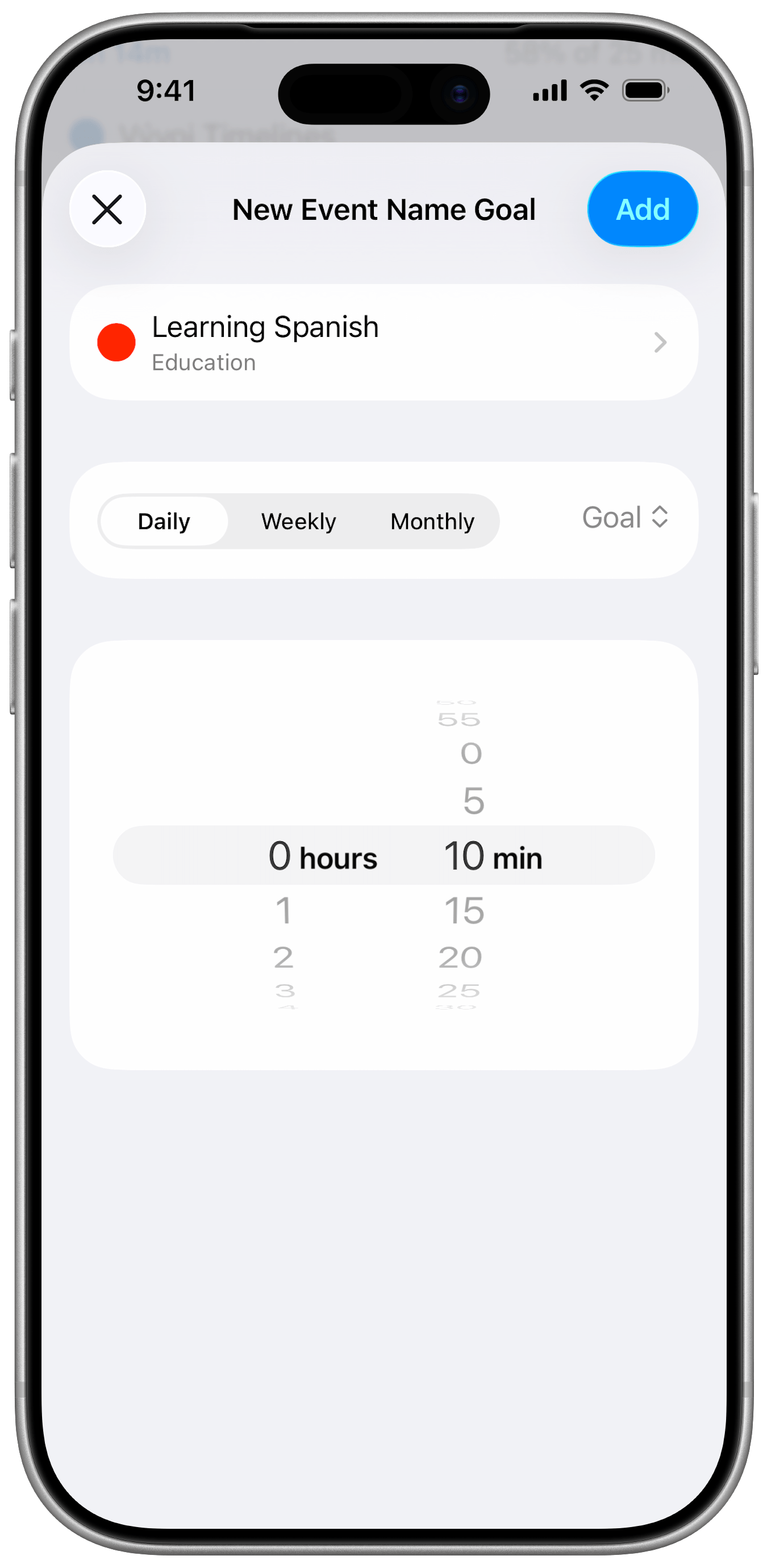
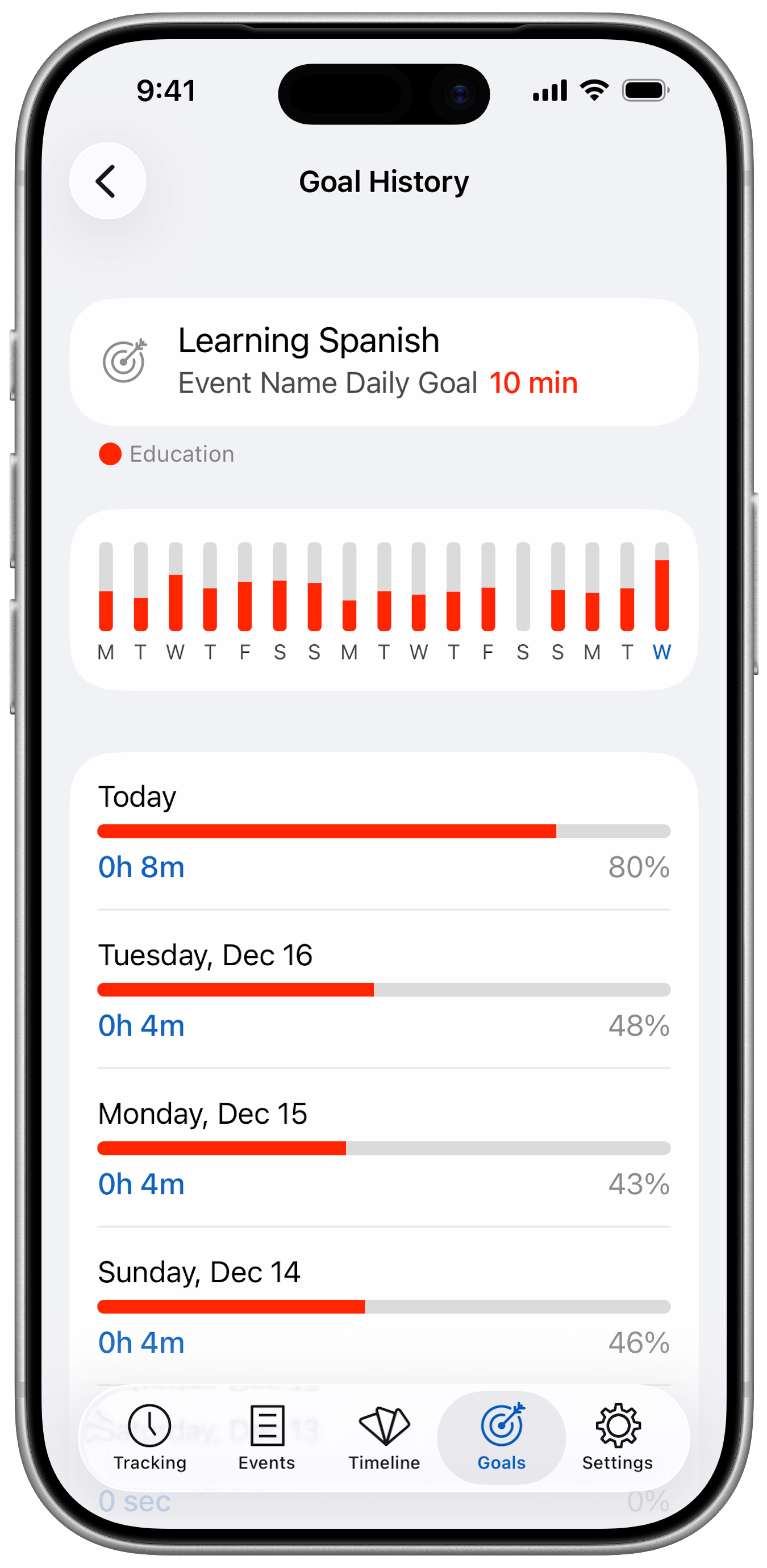
Let's say you have a timeline called "Studying", and within it you track individual subjects that you study. Now, you can define a separate target time for each subject, such as 20 minutes of learning Spanish per day, or 15 hours of studying engineering per week.
Timeline-Specific Reminders
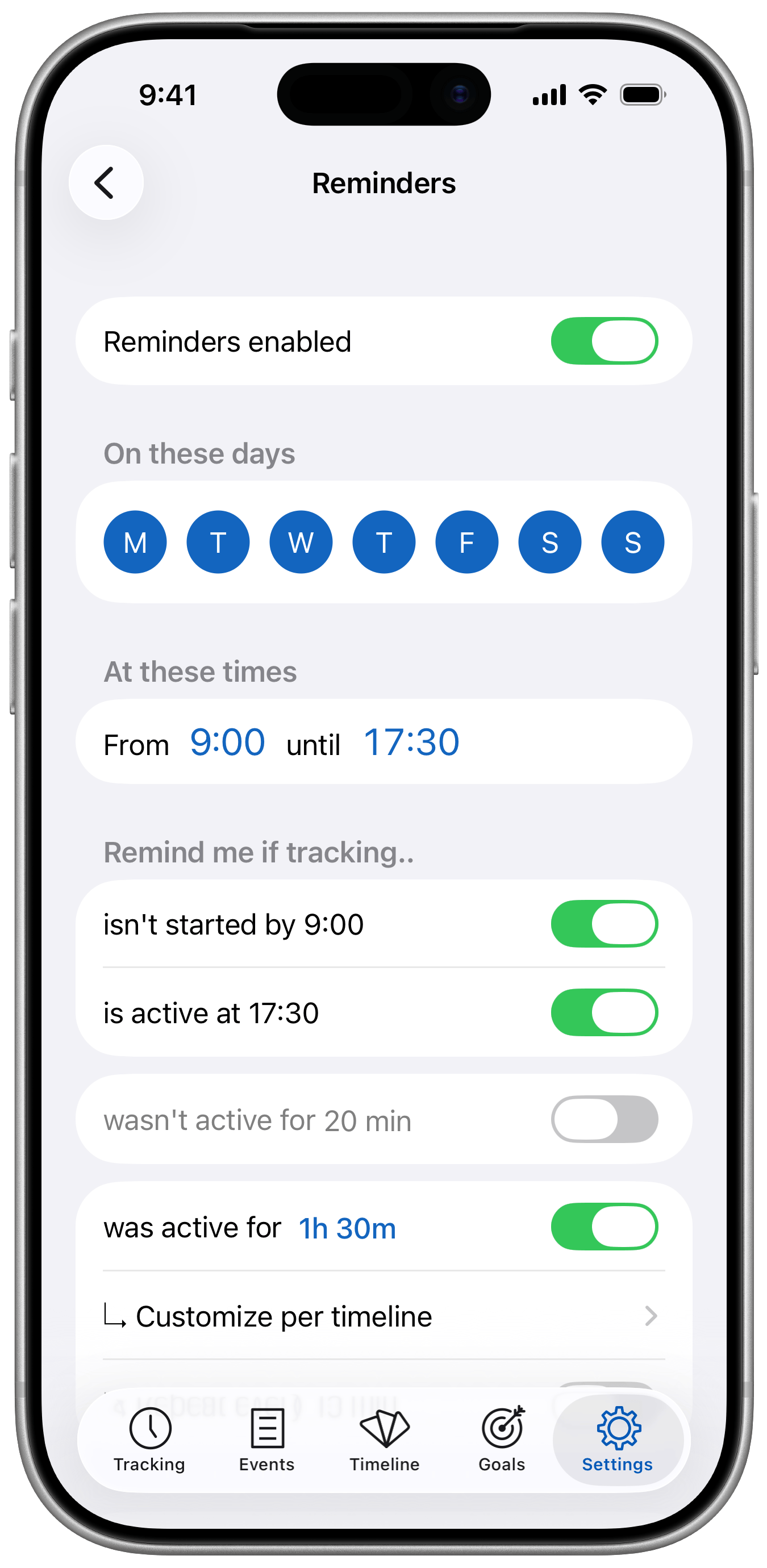
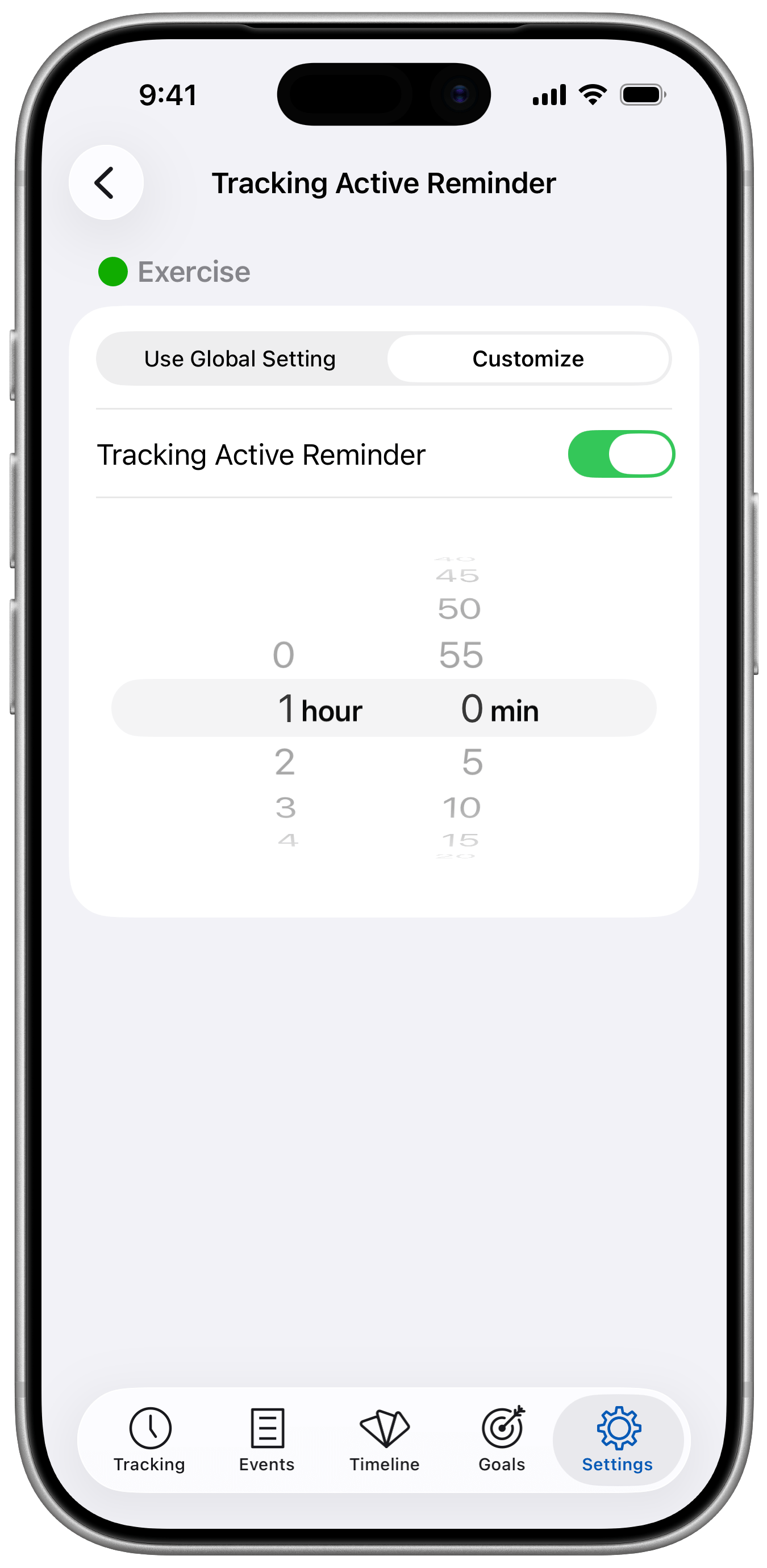
In Timelines, you can set up reminders for active tracking - for example, to be notified after a timer has been running for one hour. With Timelines 4.2, these reminders can be customized for each individual timeline.
This means you might want to be notified after just 10 minutes of tracking "Meditation", after 1 hour of tracking "Exercise", or disable reminders entirely for your "Sleep" timeline.
More Improvements
After the initial rocky release of iOS 26, several things appeared in Timelines that didn't look ideal in the new design. So I went ahead and fixed everything that I could find. The challenge was that some behaviours changed (got broken) in iOS 26.1, but then got fixed in iOS 26.2. In no particular order, here are the fixes:
- Improved appearance of Timelines PRO popovers on iOS 26.
- Fixed cell heights on the Export to File screen on iOS 26.
- Showing search results on the timeline now also searches in the timelines' names.
- Improved appearance of the Select All / Deselect All button in the Visible Timelines picker.
- Improved timeline and statistics layout in landscape on iOS 26.
You can download the update on the App Store here. I hope you enjoy all these improvements, and as always, your feedback or comments are very welcome. Wishing you a great holiday season and a Happy new year!